Appearance
Introduction
PSMS (Project Status Monitoring System) is an online service that helps Philippine government offices monitor their infrastructure projects and contracts: how much of the work is done, whether it's on schedule, how much of the budget has been used, and what to report.
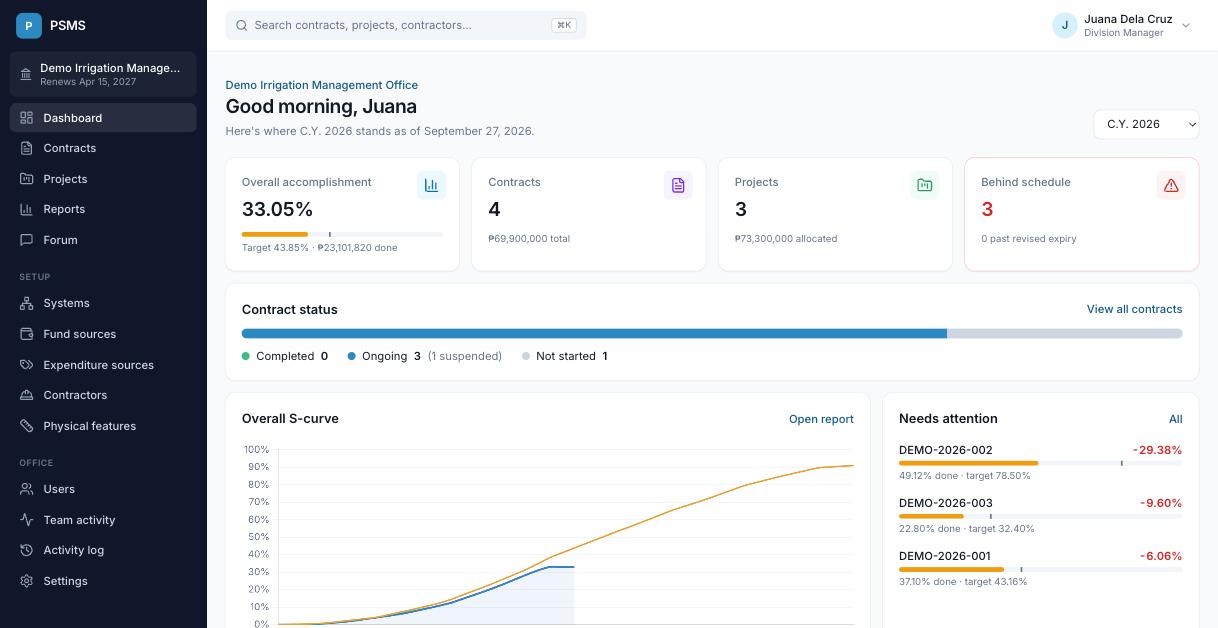
How PSMS is organised
Each office (for example, an irrigation management office) has its own workspace. Everything you see belongs to your office; other offices can't see it. The main things you'll work with:
| Thing | What it is | Example |
|---|---|---|
| System / category | A grouping for projects, tied to a municipality | Malinaw River Irrigation System |
| Project | A funded undertaking with an allocation and implementation year | Rehabilitation of Malinaw Main Canal, CY 2026, ₱48,000,000 |
| Contract | Work awarded to a contractor under one or more projects | DEMO-2026-001, ₱36,500,000, 300 days |
| Schedule | The planned cumulative % of work by date (the S-curve) | 50% by day 165 |
| Accomplishment | The actual cumulative % of work done, recorded as of a date | 37.10% as of Sep 11 |
From these, PSMS works out each contract's target, actual, slippage, time elapsed and expiry dates, and rolls them up to projects, fund sources and the whole office. How the numbers are calculated explains every formula.
Where to start
- New to PSMS? Read Signing in and finding your way, then Contracts.
- Setting up an office? Add your users, then your setup lists, projects and contracts.
- Need a report? Go to Reports.
- Used the old PSMS? See What's new.
About the screenshots
The screenshots in this guide use a fictional demo office. Names, amounts and contracts are invented.