Appearance
Setup lists
The Setup section of the sidebar holds the lists your projects and contracts refer to. Set these up first. Most can be changed only by Account Holders; contractors also by Project Inspectors and Engineering Personnel.
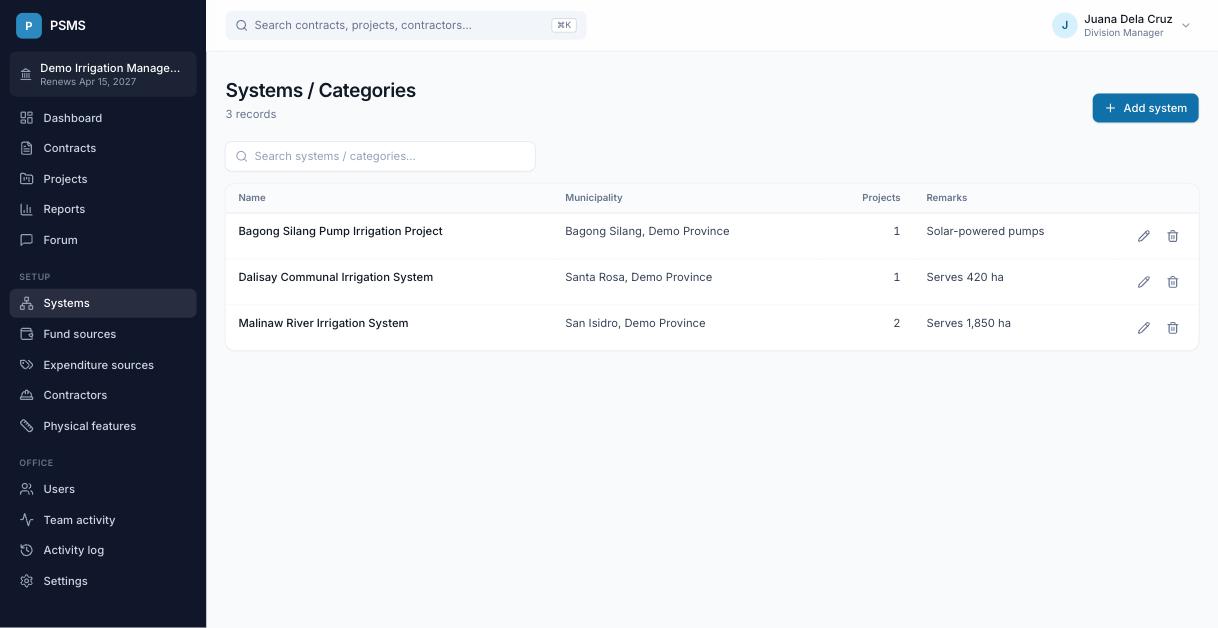
Systems
A system or category groups projects, for example an irrigation system, and is tied to a municipality (limited to your office's provinces, if the PSMS administrator has set them). Each project belongs to one system. The list shows how many projects each system has.
Fund sources
Where a project's money comes from, for example General Appropriations Act (GAA) or Local Counterpart. Reports can be grouped and filtered by fund source.
Expenditure source names
The categories a project's allocation is split into, for example Maintenance and Other Operating Expenses (MOOE) and Capital Outlay (CO). Each has a long name and a short name.
Contractors
Contractors are shared by all offices, so check the list before adding one. Each has a name, office address, owner, TIN and contact number. A contractor's page shows its performance on your office's contracts: how many are completed, ongoing, behind schedule, or have suspensions or time extensions. A contractor with contracts can't be deleted.
Physical features
The measurable work items you track on contracts, each with a unit, for example Canal lining (m), Service road (km) or Turnouts (unit). Quantities are recorded on each contract's Physical features tab and appear as columns in the detailed breakdown.