Appearance
Projects and finance
The projects list
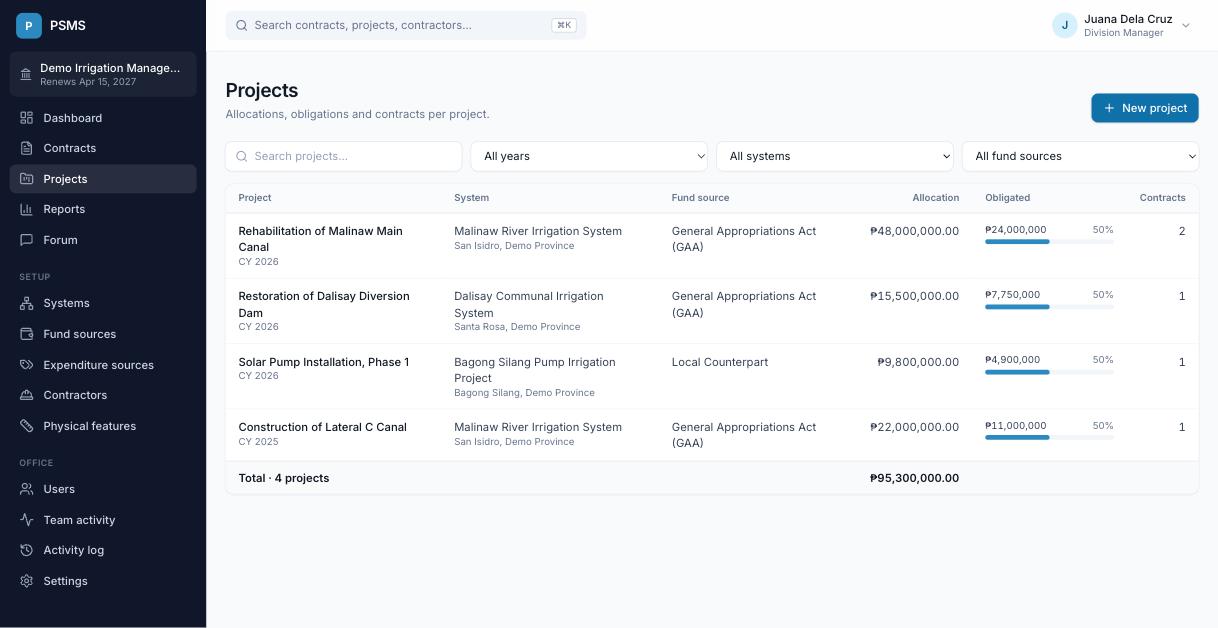
Projects lists your office's projects with their system, fund source, allocation, how much has been obligated (with a bar showing the share of the allocation) and how many contracts they have. Filter by year, system or fund source, or search by name.
Adding a project
Account Holders click New project and enter the name, system, implementation year, fund source, allocation amount and optional description and remarks.
The project page
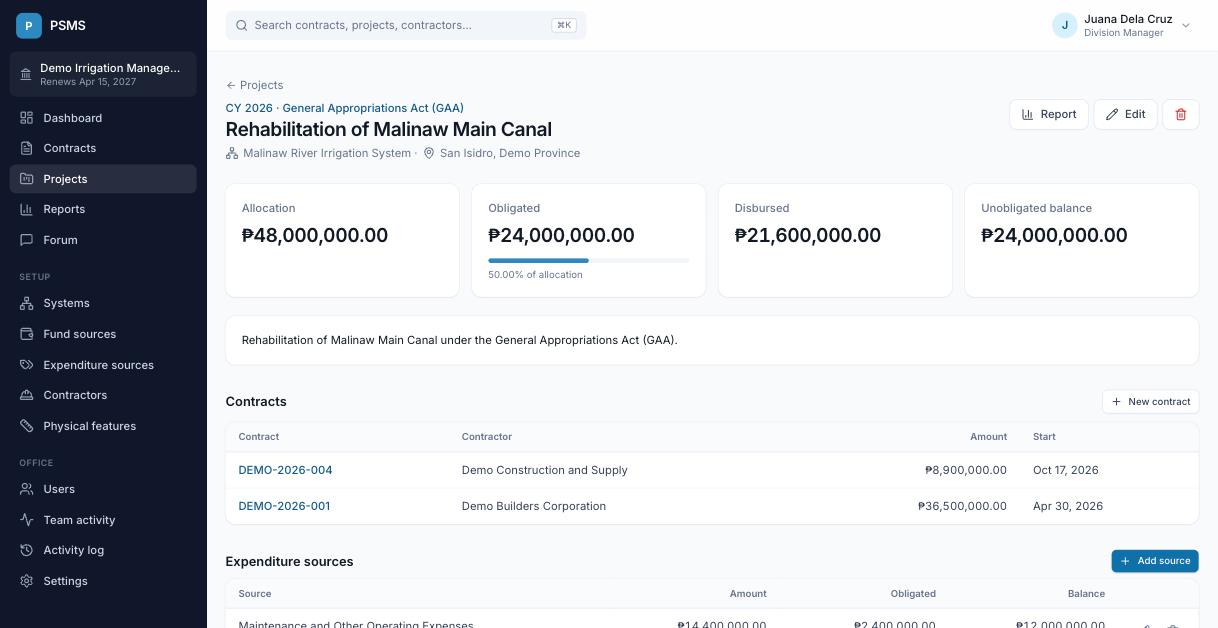
At the top: allocation, obligated (with % of allocation), disbursed and the unobligated balance. Report opens the project report. Below are the project's contracts and three finance sections that Financial Encoders and Account Holders can edit:
Expenditure sources
How the allocation is divided, for example MOOE ₱14.4M and Capital Outlay ₱33.6M. Each source shows how much has been obligated against it and its balance. The names come from Setup → Expenditure sources.
Expenditures
Each expenditure has an amount, an obligated date, an optional disbursed date, the expenditure source it's charged to, and remarks.
- Obligated: every expenditure counts toward obligated from its obligated date.
- Disbursed: only expenditures with a disbursed date count toward disbursed.
- The expenditure source balance is its amount minus everything charged to it.
Requested cash
Cash requests for the project, with amount, date and remarks.
Project accomplishment
A project's accomplishment is the value of work done on its contracts divided by the project's allocation. See How the numbers are calculated.
Deleting a project
Account Holders can delete a project with the trash button at the top of its page, then confirm.
- The project disappears from the projects list, the project and fund source reports and custom reports, but nothing is erased. The PSMS administrator can restore it with its expenditure sources and expenditures.
- Its contracts are not deleted. They stay in the contracts list and reports. If they should go too, delete each contract first (see Deleting a contract).
- Expenditure sources and expenditures deleted on their own can also be restored by the administrator. Requested cash entries are erased for good.