Appearance
Reports
Reports in the sidebar lists every report. All of them can be generated as of any date, and all except the overall S-curve and project report download as Excel.
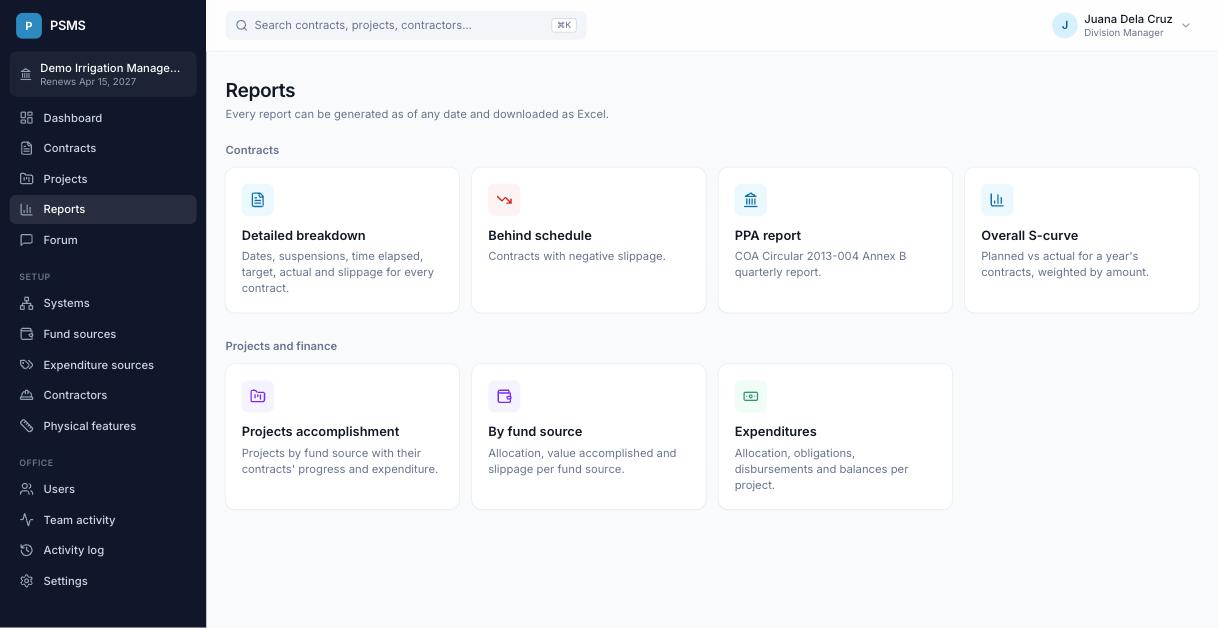
Pick the implementation year and as-of date and click Generate. Excel downloads the same data.
Need something different?
Build your own with custom reports: your choice of columns, filters, grouping and chart, saved and shared with your office.
Contracts
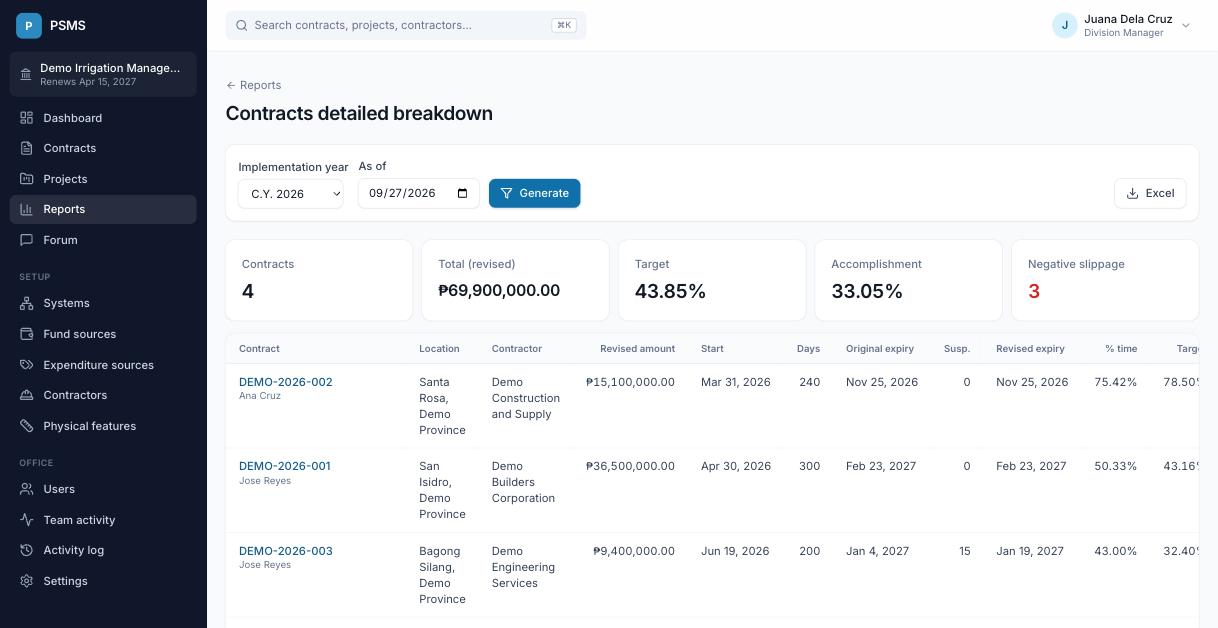
Detailed breakdown
Every contract of the year with location, contractor, project-in-charge, original and revised amounts, start date, duration, original expiry, days suspended, expiry dates, days elapsed, % time elapsed, target, actual, slippage and remarks, plus one column per physical feature showing the quantity as of the date. Summary figures appear above the table and a totals row is added to the Excel file; both can be turned off in office settings.
Behind schedule
The same report limited to contracts with negative slippage.
PPA report (COA Annex B)
The Consolidated Quarterly Report on Government Projects/Programs/Activities (COA Circular 2013-004, Annex B): contract ID and description, location, total cost (original and revised), date started, number of extensions, target completion (original and revised), % completion, cost incurred to date (latest billing) and remarks.
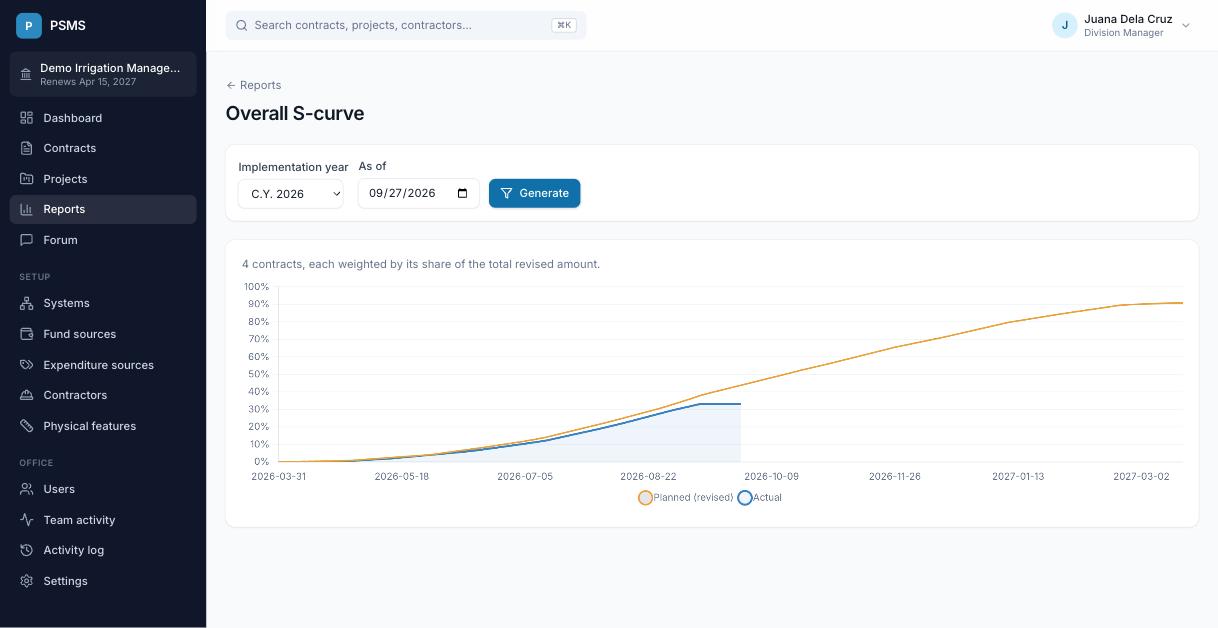
Overall S-curve
Planned (revised) vs actual accomplishment for all of the year's contracts together, each weighted by its amount.
Projects and finance
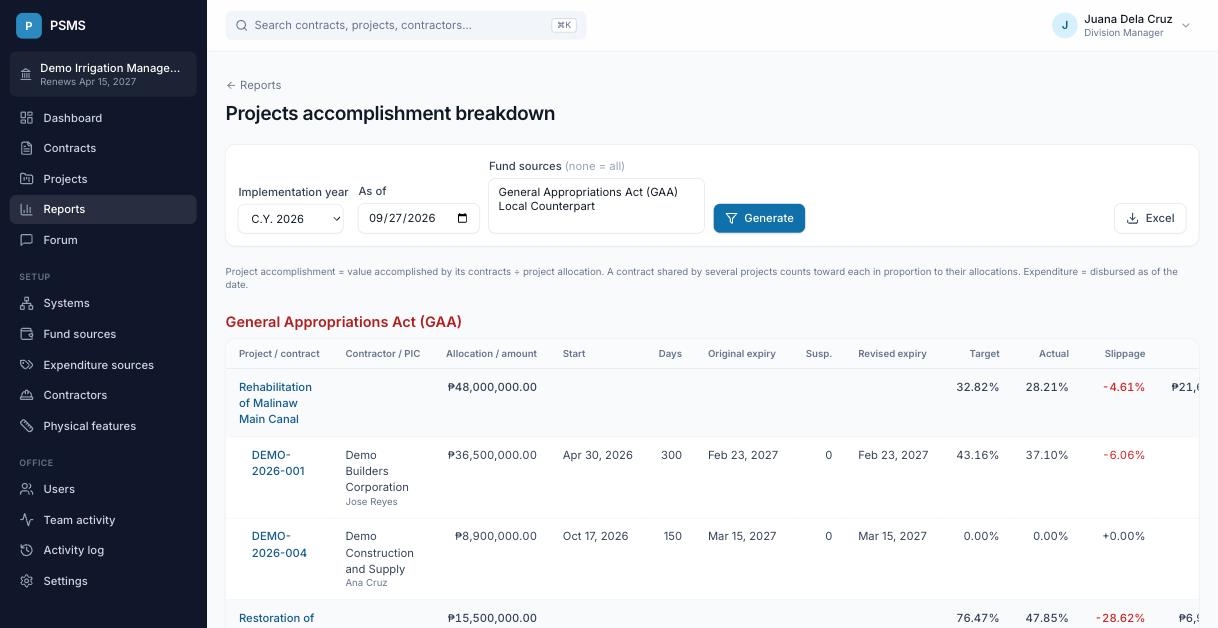
Projects accomplishment breakdown
Projects grouped by fund source, each with its allocation, target, actual, slippage and disbursed expenditure, and its contracts listed beneath. Choose one or more fund sources to limit the report (none selected means all).
Summary by fund source
One row per fund source: number of projects, allocation, target value, value accomplished, target %, accomplishment %, slippage and expenditure.
Expenditures by year
One row per project: allocation, obligated, disbursed, unobligated balance and utilization % as of the date.
Single contract or project
Contract summary and timeline
Open them from a contract's page. See Contracts.
Project report
Open it from a project's page (Report): allocation, disbursed, accomplishment and slippage, the project's contracts, and disbursements by expenditure source.
Which contracts are included
Contract and project reports include contracts that have a contractor and leave out work done by administration (a contractor named "Administration"). A contract shared by several projects counts toward each in proportion to their allocations. See How the numbers are calculated.